Why Google+’s grass is looking greener every day

Facebook gets away with a lot because we are just so used to it screwing up our privacy settings and it’s not the first company to share our info but at least we like using its service (unlike banks, for instance).

But two experiences I had today – yes, In just one day – have me very offside.

1. My mobile’s phonebook appearing online.

I didn’t really pay attention to this until I saw it pointed out that Facebook has accessed my mobile phone – without asking.

A list of all our friends’ and associates’ cell phones is now online. This has been possible before but we have never had an organisation go and pilfer it unrequested.

Facebook revealing my phone's contacts

http://www.facebook.com/friends/edit/?sk=phonebook

The dilemma we should all have with this is that not just our own privacy has been breached but our friends’ and family’s too.

If my Facebook account is ever hacked – and let’s be honest, most of us use our passwords in more than one place and it doesn’t look like this “jhsdy8643kh4k4” – then the hacker now has access to not just my personal details but all my friend’s. There is no White Pages for mobile numbers, so all these phone numbers could immediately be sold to spammers and telemarketers and so on.

It’s dire.

And oh look.. since I started writing this, an Iain Wood in Newcstle, UK, was found to have hacked the bank accounts of his friends and neighbours using their Facebook accounts.

“He would make friends with people on Facebook and have their usernames he would try it on the bank websites, on the basis people use the same passwords. (Read more – Fraudster used Facebook to hack bank accounts – Telegraph http://j.mp/o8Qkr8 )

2. Photo tagging – by corporations
Secondly, I am no fan of Facebook photo-tagging but brand using it to ensnare new fans is a painful new development.

Yesterday I received copious emails that people were commenting on a Ekka photo.

I was baffled. I barely know what Ekka is. (Ekka is a country-comes-to-the-city festival in Brisbane.)

Turns out that Ekka, via its Facebook page, was encouraging people to tag themselves AND THEIR FRIENDS on a photo they put up to enter a competition.

Sorting this out took about as long as throwing out junk mail I get on my letter box. But for that, I can put up a sticker NO JUNK MAIL. For my emails I have a spam filter. For telemarketers the government provided donotcall.gov.au

But I am inside Facebook’s forcefield.

I didn’t give them much. I don’t even use my own name. I post to limited groups. But it doesn’t matter.

As they court brands and advertisers, they can bypass my futile efforts and even use my ‘Friends’ to get to me.

It is awfully close to the last straw for me.

Google+ may be no better in the long run, but right now, Google’s grass is looking much greener.

My Top 13 Chrome Extensions for Social Media Managers (and addicts)

Here’s one for the social media professionals, potentially social media addicts and the Google Geeks.

I now cannot work anywhere without my favourite browser Chrome.

Extensions are the little and mostly free add-ons that help streamline repetitive tasks spectacularly as I work daily across social media and web content. For mem they have replaced shortcuts, bookmarks and bookmarklets.

1. Send from Gmail
Awesomeness incorporated. You can select text and mail it. Or just mail the link and a pop-up window does the rest. I use this twenty times a day.

2. Awesome Screenshot
Annotate screenshots, select area, visible or full page, add text, circles, lines, arrows in an instant. then save. Shame you can’t email.

3. Session Manager.

Save all current tabs and reopen them later. SImple. Classy. Perfect if you are like ame and regularly open twelve tabs then need to swap computers or just save some RAM.

4. Evernote.
This is essential for any notetaker. Clips pages,pics, selected text,full pages. And keeps them forever, and they are searchable. Handiest for keeping a record of online transactions.


5. One Password

Inserts your password on any given page, saves all of them securely and generates fancy ones you wil never remember – but hackers can’t guess them. Win-Win! (You won’t find this in the store. Must buy the One Password program first. )

6. Google News

Expandable headlines should be the future. It’s the best thing HTML5 ever brought us. You want to read more, just click the headline & there’s the story! Sure, lists are ugly but have you seen most news sites lately? This works great with customisable news searches, syncs with your google account and updates download constantly.

7. Facebook
This needs work. The quick look at messages and updates is not a good enough replacement for the website because it pretty much is the website but with side navigation be fewer features. It’s also buggy and wasn’t activating when I went to get a screenshot. Keep at it Zuck.

8. Chrome It Later

Clips any page or selection to your Read it Later account, which syncs with my iPhone app to give me lunchtime or railtime reading. (Perfect for reading offline on trains when you lose connectivity.) I used to change the settings pane so I could add tags but now I don’t bother as I read most on the same day.

9. AdBlock

The most popular of all Chrome extensions, they claim. I never need to click this unless I notice this effective ad-blocker has removed some other valuable element by accident. Which is rare because ad-blocking works! I own three!

10. Bit.ly link shortener

Every social media manager needs this. I am regularly involved in five twitter accounts – only one of which is personal, so tweaks for quick tweeting are essential. This is like THE swiss army knife extension for twitter. It allows text clipping, multiple accounts, copies the link to your clipboard, and has a genius right-click menu feature that takes any link, shortens it & copies it to your clipboard. Sharing, tweeting & tracking of links was never supposed to be this easy!! Get it. No questions.

11. Mashable

Could be improved but gives you the latest tech and social media stories at a glance. The real estate is used poorly which makes the whole thing a bit of a let down. Alas, there are two mashable extensions – get the one with expandable lists of headlines.

12. Picasa

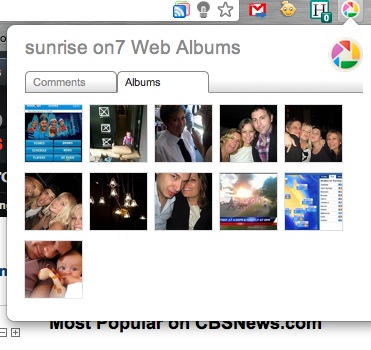
Don’t use this, why is it there? How often do you want to browse your own galleries on this underpowered version of flickr? It shows up comments. Has anyone ever commented on your Picasa albums. Did you even know they could?

13. Huffington Post

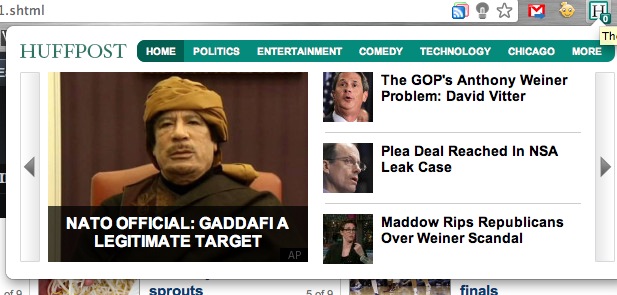
HuffPo is an unstoppable news source and aggregator specialising in viral content and political sex scandals. This extension gives handy, quick navigation of top stories in each category – which sure beats using their convoluted website (although NewsGlide makes it feel like you’re on an iPad. Much cooler).

——-
So there they are. I haven’t spent hours searching out the best but of those I have come across and used, these have stayed undeleted longer than most!
Oh, nearly forgot.
Those indictors in the address bar include two last good extensions.
The first one is an instant Google Reader RSS Subscriber that grabs any RSS and with one click adds it to your Google Reader list. You can even select the folder it should enter.
The light bulb is called Turn Off The LightsClick it while watching video or  slideshow and it cleverly dims the rest of the screen for a sexier viewing experience. Like many of these extensions, it’s great but you need to remember it’s there and to use it.
I am still yet to see a great extension for flickr or Tumblr, but I’m sure one is coming.
Next up…  I must learn how to sync my extensions across multiple computers.
Which extensions do you rely on? Which obvious ones am I missing? Please share, by using your Send from Gmail extension, of course.