TVs are the new old librarians [updated]

20110928-151559.jpg

My recent experience of buying a new TV should have delivered me immense satisfaction and loads of testosterone as I made the biggest decision a married male can make on his own.

But somehow, my purchase of a Smart TV” left me feeling much dumber for it.

I work in TV but live most of my life online so in my humble opinion, my new “connected TV” should allow me to do both;

I want to tweet while I watch a show. I want to read my Facebook but keep streaming the news. I want also want to be able to browse the web using a keyboard and trackpad and it doesn’t seem ridiculous to me to expect a TV to be easily able to stream videos on my much smaller-screened Macbook.

But no. For the ten years since plasma TVs came out – and I have been biding my time – the best TV makers have developed is a pretty pixelated digital picture that is thinner and uses less energy.

3D-enabled or not? 50hz or 100hz? Internet-ready? Wifi-connected? What? Why??

Why are we way back here, deciding on small variations of nothingness when even the most sophisticated TV will still only deliver me a dodgy web browsing experience.

(Massive icons, a keypad on the remote with arrows to move the cursor around like a first generation Blackberry. And on most, you enter a URL using numbers like your first NOKIA in 1995!)

After visiting two or three stores, it became obvious that the coolest, $5000 LED-LCD TV won’t yet let me flick between websites, track tweets while I watch a show in the other part of the screen, post on Facebook while I continue watching my favourite show… you know, do what my notebook computer does.

When I went to university and completed my Applied Science in Information Studies, I knew the internet was going to change everything. But that’s all I knew. And the lecturers, who were clouded by years of teaching how information sharing worked the old way,had only just begun accepting essays via email.

TVs are now the librarians of old. The rusty Citroens choking up the info highway, delivering info as they always did and resisting new developments that threaten its mainstay.

It’s no wonder nearly 50% of teens now spend more time on their computers than watching TV. [citation coming]

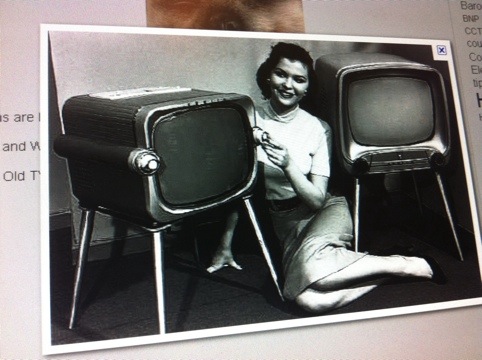
Looks too me like televisions are an overheated area of glitzy marketing with pretty minimal delivery. There’s lots of jargon, stickers and selling points but I am getting a TV which does little more than the mournful, cumbersome CRT I now have sitting on my living room floor like an orphaned elephant. Yes, a white elephant.

Lucky for me, one clever thing my TV can do is turn itself off if it detects no movement in the room for thirty minutes.

And so far, to Sony’s credit, this has only occurred twice during my favourite show.

——-/——-
UPDATE!!

Unbelievable.
Now that I have finally received the WIFI dongle (which had to be transferred from another store) I find that the Sony WIDGETS work on my TV model and one is for Twitter!

This means I CAN have a twitter feed in the right of screen as the show – form any source – plays out on the left of screen. Joy of joys. And my apologies to Sony.

The interface is limited but hey, it’s all a step toward real social TV. Using Sony’s rather good iPhone app ‘Media Remote’ you can type and navigate the screen as good as one might hope.

Filtering tweets by business – a nearly great idea

20110925-203720.jpg

Just noticed a company that does good work aggregating Tweets around localities has also begun showing the highest trending clubs/bars/cafes.

If they extend the archive and depth of related tweets, this could make for great peer-reviewed dining out.

Imagine a menu-log with up-to-date tweets or Travel Advisor built on honest opinions freely shared by everyday humans.

But, as this picture shows, businesses such as The Winery might develop a distaste of such an idea. All the more reason for it to work.

(And though Travel Advisor reviewers have faced law suits for poor reviews, who is going go to sue a tweep? Surely no one would ever!? But here are some tips to avoiding it…)


Qantas’s Blackface Mis-tweet & the risks of pro-tweeting

The latest Twitter shock to come from a major Australian brand was a ‘blackface’ picture from Qantas.

Fans in face unusual paint

Blackface Wallaby supporters

Interestingly, a shot of two Wallabies fans dressed up as a Pacific islander – like their hero Radike Samo – was first shown to the country by Channel 9 during their telecast of the Trinations last night.

Later, the same picture was tweeted on behalf of a major Australian brand – and then retweeted in horror by many more – taking down with it, at least for a day or two, the credibility of a company with a nation’s pride and years of neatly managed publicity.

Qantas will no doubt ‘review their policies’ to see it doesn’t happen again, but we won’t find out who tweeted but they may well lose their position.

It’s a harsh reminder that pro-tweeters are held to the highest account for how they represent their employers in the twittersphere. This is not the job of an intern and neither should it be an afterthought of a PR or communications staffer.

Read more about it here: Qantas Endorses Blackface

I saw a response to the scandal that guessed a ‘Gen-Y’ kid was behind the mis-tweet and therefore they’d be ignorant of the racial sensitivities around white men painted black.

The other example of buffoonery was by the otherwise magnificent twitter account of the Queensland Police (@QPSmedia) who foolishly tweeted “our bad” after a list of inaccurate tweets about the arrest of SMH journalist Ben Grubb.

I think the truth is that tweeting can be a dangerous sport. Those on twitter are very heavily skewed to left-wingers who are educated, sharp and most have a keen eye for political correctness. One foot wrong and your poor judgment is retweeted to thousands – just like a teacher reading out your love-letter in the school assembly.

On the other side of the coin, the constant flow of high-profile mis-tweets shows social media producers feel invincible at their peril. In my view, they should be checking anything that causes them to pause with a manager or publicist, before posting. I do this regularly in my job and I have recommended at more than one conference that all companies create a circle of people who can share responsibility for posts.

I tweet for a living.

Tweeting professionally sounds very simple and risk-free until you become the voice of a major brand. Then, it’s a minefield with you in the middle of it surrounded by a thousand critical eyes (your followers), plus your own PR, publicity and marketing people.

And that’s not the worst part.

If and when you post something inaccurate or offensive, there’s a range of news websites with little else to do but report on the latest twitter-gaffe. (That kind of thing is, unsurprisingly, a click magnet.)

I spend time writing and rewriting tweets. I regularly schedule them to time them best for maximum exposure. When I have second thoughts I often delete them before sending. If they include sensitive info or facts that someone may not want revealed, I first check them off with my manager. And I also confirm with story producers the best way to word them to get the message right.

I don’t know if the kid tweeting for Qantas is Gen-Y or the middle-aged marketing manager.

What matters is that a quick SMS could have avoided a poor choice and that would have saved a lot of offence now being attributed to Qantas, not to a faceless producer.

Why Google+’s grass is looking greener every day

Facebook gets away with a lot because we are just so used to it screwing up our privacy settings and it’s not the first company to share our info but at least we like using its service (unlike banks, for instance).

But two experiences I had today – yes, In just one day – have me very offside.

1. My mobile’s phonebook appearing online.

I didn’t really pay attention to this until I saw it pointed out that Facebook has accessed my mobile phone – without asking.

A list of all our friends’ and associates’ cell phones is now online. This has been possible before but we have never had an organisation go and pilfer it unrequested.

Facebook revealing my phone's contacts

http://www.facebook.com/friends/edit/?sk=phonebook

The dilemma we should all have with this is that not just our own privacy has been breached but our friends’ and family’s too.

If my Facebook account is ever hacked – and let’s be honest, most of us use our passwords in more than one place and it doesn’t look like this “jhsdy8643kh4k4” – then the hacker now has access to not just my personal details but all my friend’s. There is no White Pages for mobile numbers, so all these phone numbers could immediately be sold to spammers and telemarketers and so on.

It’s dire.

And oh look.. since I started writing this, an Iain Wood in Newcstle, UK, was found to have hacked the bank accounts of his friends and neighbours using their Facebook accounts.

“He would make friends with people on Facebook and have their usernames he would try it on the bank websites, on the basis people use the same passwords. (Read more – Fraudster used Facebook to hack bank accounts – Telegraph http://j.mp/o8Qkr8 )

2. Photo tagging – by corporations
Secondly, I am no fan of Facebook photo-tagging but brand using it to ensnare new fans is a painful new development.

Yesterday I received copious emails that people were commenting on a Ekka photo.

I was baffled. I barely know what Ekka is. (Ekka is a country-comes-to-the-city festival in Brisbane.)

Turns out that Ekka, via its Facebook page, was encouraging people to tag themselves AND THEIR FRIENDS on a photo they put up to enter a competition.

Sorting this out took about as long as throwing out junk mail I get on my letter box. But for that, I can put up a sticker NO JUNK MAIL. For my emails I have a spam filter. For telemarketers the government provided donotcall.gov.au

But I am inside Facebook’s forcefield.

I didn’t give them much. I don’t even use my own name. I post to limited groups. But it doesn’t matter.

As they court brands and advertisers, they can bypass my futile efforts and even use my ‘Friends’ to get to me.

It is awfully close to the last straw for me.

Google+ may be no better in the long run, but right now, Google’s grass is looking much greener.

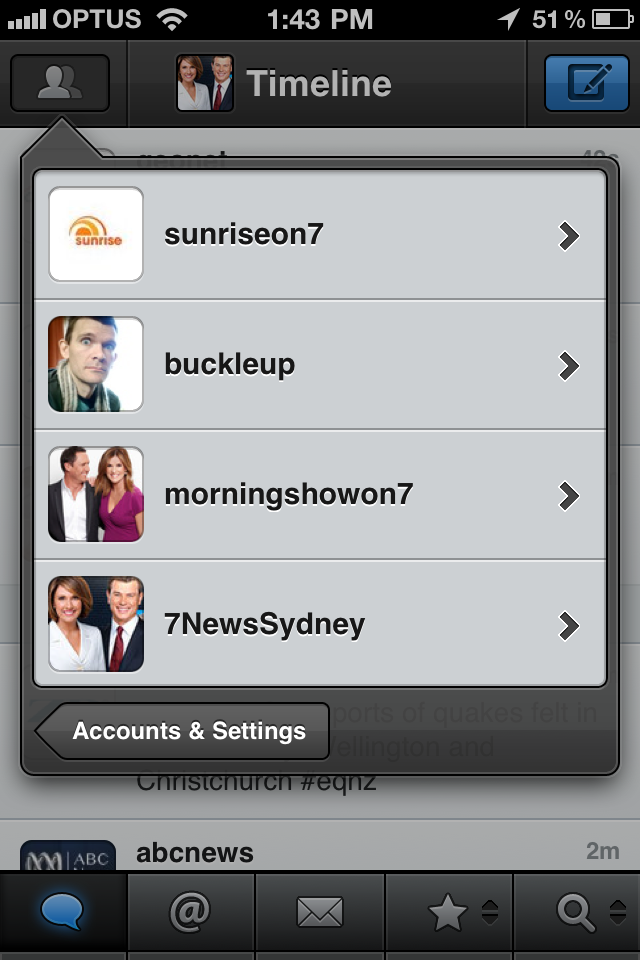
Best 8 Twitter Tools I Use

Here are the best Twitter tools that I use for tweeting and tracking of the multiple accounts I manage.

At one stage I operated eight accounts at once for various TV shows (@SunriseOn7, @MorningshowOn7, @SundayNightOn7,@7NewsSydney,@7Newsroom,@Vote7News), assorted TV personalities* and my own account (as well as one alter-ego!).

I am happy to concede this is too much Twitter for one person to manage – but man, it does force you to get efficient when you’re tweeting.

@Sunriseon7 now has around 50,000 followers and continues to add a few hundred each week. I aim to make it a destination not only promoting what’s on Sunrise but a useful stream of entertaining content, local and international news as well as breaking news.

To keep on top of breaking news that will be retweeted and gain you many new followers who want to read things first, you need to have the best mobile twitter setup available.

So I tested many, many twitter clients and this is what I have wittled it all down to..

I have put them in order of how much I use them. Aren’t I helpful?

1. TWEETBOT
I am such a fan of this relatively new iPhone Twitter app (client). It’s very intuitive, has many hidden features you are surprised by after a week or so, and nothing is smoother when using multiple accounts. I have paid for about ten twitter apps. This was easily the most worthwhile. It’s highly readable, fast and flexible. Plus, it never crashes.

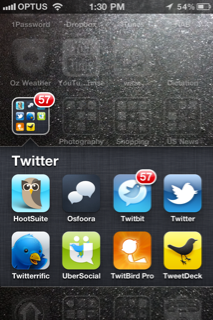
My past favourites for the iPhone are Osfoora, Twitbit and Twitbird Pro.

2. TWEETDECK
Explaining twitter to the uneducated is best done by showing people filtered feeds, i find. But that’s just the start of how Tweetdeck simplifies the twittersphere.

For browsing of tweets including tracking breaking news and running multiple hashtag feeds, nothing beats the multi-column,multi-account interface of Tweetdeck.

If at all possible, get a separate monitor and leave it running. Alerts show you the latest tweets allowing you to spot replies and retweet at a glance. Plus, it’s got scheduling so you can keep the convo going when you are otherwise having a life.

Lately, I do admit, the app is running awfully slow.

3. BIT.LY shortcuts
Stuff the t.co URL shortener Twitter is trying to force us into using, bit.ly offers traffic analysis, real time updates, desktop alerts and browser shortcuts that saves me about an hour a day. Try the sidebar bookmarklet and the Chrome Extension to see what I mean. (I especially like the hover tool that shows how many clicks on a link just by hovering over any bit.ly link anywhere, and the right-click function “copy and save shortened link to clipboard”). Love it.

See also my blog on explaining all  my Chrome (browser) extensions

4. SNAPBIRD
Search as far back as you what in anyone’s timeline. Can be a little touchy sometimes but generally I find what I want.

5. BLACKBIRD PIE
Neatest way to embed a tweet on a website.

6. TWITTERSTATS
Get into this to see just how you have been tweeting, who you retweet the most, at what time of day and how your tweeting has changed over time.

Why is this useful? Well, imagine if you could see whose emails you forward the most or that you now send twice as many emails every day than you used to. Tracking your habits can reveal the changing face of how you are marketing your brand but also how that reflects the audience.

I know that for Sunrise, I have found that I get more response from people in the first half of the day and people are less likely to respond or retweet anything between 12 noon and 5 or 6pm. The stats show that after that, people lighten up again, so i now target those hours.

7. TWEETSTATS
A little less useful for brand tweeters but interesting nonetheless. Spits out nice graphs (for free) including your own twitter word cloud. Intriguing.

8. HOOTSUITE
I have trained several people at Channnel 7 in how to use this web app. It runs through the website which pleases the IT team as nothing suspicious need be installed.

Hootsuite’s best feature has always been scheduling, which it achieves better than anyone else. (Tweetdeck’s scheduling remains buggy and often sends my tweets now not later.)

The layout is disconcerting as it has two navigation bars, columns, tabs within columns and layers. But if you can get past that, it is a timesaver with features like saving your frequent searches e,g, #quake or “breaking news”, multiple users, columns and it offers some good features to drill down on users. Rather amazing what they have done with HTML5.

*Why did I tweet for TV personalities? When some TV stars get started, I ease them into Twitter to avoid any major faux pas going public. Some even email me their comments which I then tweet (quaint!). They are all now independent tweeps, which i suppose makes me an empty nester.


For the record, here are the Twitter iPhone apps I no longer use – but i keep on the phone to watch  how they improve with updates.


I keep these on my phone just to view what their updates reveal

Have any great tools I haven’t listed?


Please share them below – or tweet me @buckleup

My Top 13 Chrome Extensions for Social Media Managers (and addicts)

Here’s one for the social media professionals, potentially social media addicts and the Google Geeks.

I now cannot work anywhere without my favourite browser Chrome.

Extensions are the little and mostly free add-ons that help streamline repetitive tasks spectacularly as I work daily across social media and web content. For mem they have replaced shortcuts, bookmarks and bookmarklets.

1. Send from Gmail
Awesomeness incorporated. You can select text and mail it. Or just mail the link and a pop-up window does the rest. I use this twenty times a day.

2. Awesome Screenshot
Annotate screenshots, select area, visible or full page, add text, circles, lines, arrows in an instant. then save. Shame you can’t email.

3. Session Manager.

Save all current tabs and reopen them later. SImple. Classy. Perfect if you are like ame and regularly open twelve tabs then need to swap computers or just save some RAM.

4. Evernote.
This is essential for any notetaker. Clips pages,pics, selected text,full pages. And keeps them forever, and they are searchable. Handiest for keeping a record of online transactions.


5. One Password

Inserts your password on any given page, saves all of them securely and generates fancy ones you wil never remember – but hackers can’t guess them. Win-Win! (You won’t find this in the store. Must buy the One Password program first. )

6. Google News

Expandable headlines should be the future. It’s the best thing HTML5 ever brought us. You want to read more, just click the headline & there’s the story! Sure, lists are ugly but have you seen most news sites lately? This works great with customisable news searches, syncs with your google account and updates download constantly.

7. Facebook
This needs work. The quick look at messages and updates is not a good enough replacement for the website because it pretty much is the website but with side navigation be fewer features. It’s also buggy and wasn’t activating when I went to get a screenshot. Keep at it Zuck.

8. Chrome It Later

Clips any page or selection to your Read it Later account, which syncs with my iPhone app to give me lunchtime or railtime reading. (Perfect for reading offline on trains when you lose connectivity.) I used to change the settings pane so I could add tags but now I don’t bother as I read most on the same day.

9. AdBlock

The most popular of all Chrome extensions, they claim. I never need to click this unless I notice this effective ad-blocker has removed some other valuable element by accident. Which is rare because ad-blocking works! I own three!

10. Bit.ly link shortener

Every social media manager needs this. I am regularly involved in five twitter accounts – only one of which is personal, so tweaks for quick tweeting are essential. This is like THE swiss army knife extension for twitter. It allows text clipping, multiple accounts, copies the link to your clipboard, and has a genius right-click menu feature that takes any link, shortens it & copies it to your clipboard. Sharing, tweeting & tracking of links was never supposed to be this easy!! Get it. No questions.

11. Mashable

Could be improved but gives you the latest tech and social media stories at a glance. The real estate is used poorly which makes the whole thing a bit of a let down. Alas, there are two mashable extensions – get the one with expandable lists of headlines.

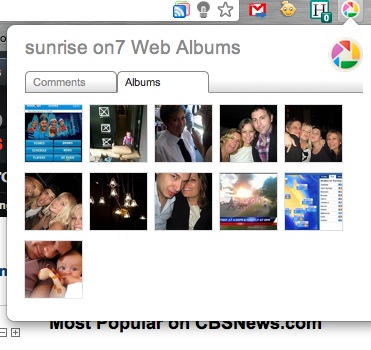
12. Picasa

Don’t use this, why is it there? How often do you want to browse your own galleries on this underpowered version of flickr? It shows up comments. Has anyone ever commented on your Picasa albums. Did you even know they could?

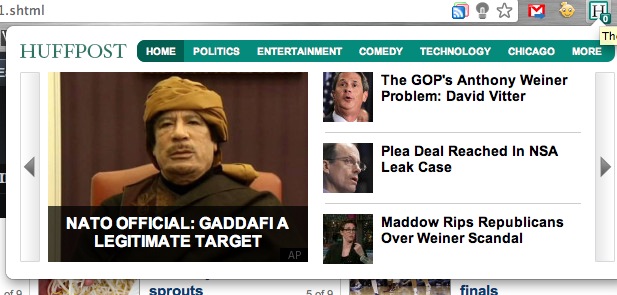
13. Huffington Post

HuffPo is an unstoppable news source and aggregator specialising in viral content and political sex scandals. This extension gives handy, quick navigation of top stories in each category – which sure beats using their convoluted website (although NewsGlide makes it feel like you’re on an iPad. Much cooler).

——-
So there they are. I haven’t spent hours searching out the best but of those I have come across and used, these have stayed undeleted longer than most!
Oh, nearly forgot.
Those indictors in the address bar include two last good extensions.
The first one is an instant Google Reader RSS Subscriber that grabs any RSS and with one click adds it to your Google Reader list. You can even select the folder it should enter.
The light bulb is called Turn Off The LightsClick it while watching video or  slideshow and it cleverly dims the rest of the screen for a sexier viewing experience. Like many of these extensions, it’s great but you need to remember it’s there and to use it.
I am still yet to see a great extension for flickr or Tumblr, but I’m sure one is coming.
Next up…  I must learn how to sync my extensions across multiple computers.
Which extensions do you rely on? Which obvious ones am I missing? Please share, by using your Send from Gmail extension, of course.

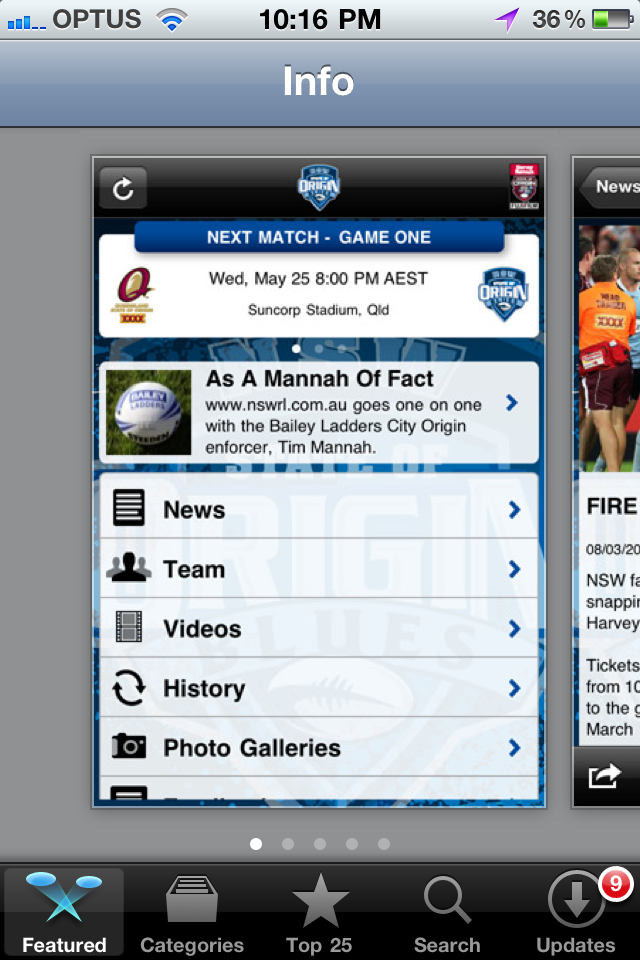
Go the NRL’s #StateOfOrigin #apps

I’m a pretty jaded observer of our nation’s footy codes. Since high school – the last time I counted myself as a fan – I have seen very little in NRL or AFL that has inspired me.

Frankly, most of it just makes me cringe.

But the NRL’s forward-thinking in building and releasing paid iPhone apps in time for the annual State of Origin series is a very savvy move.

More below…

—-

The apps appear pretty simple (stats and bio content), running costs would be low (mainly serving videos) and the audience demographic is wide-ranging.

Plus, they get a free national platform in Games 1 & 2 to promote the hell out of them.

I imagine they had both apps made for less than $40,000 total and they could expect over 80,000 downloads. At $1.19 each, that’s about $50,000 profit and greater audience engagement in a part of NRL jaded fans like me used to love.

Check out the application:

http://itunes.apple.com/au/app/nsw-blues/id436086858?mt=8

Cheers, Luke